Unbiased software comparisons, reviews, and decision frameworks to help you choose the right tools without wasting money.

I. INTRODUCTION
Choosing customer support software feels like marrying someone without seeing their face. And this problem is solved with the two software programs Intercom and Zendesk, but only because there are a lot of similarities between the two software programs. It make very difficult for anyone to choose one of them because both tools dominate the market, both have passionate fans. Okay, so in this article,e let’s find out what works best for you and what does not, and try to remove your confusion.
The Problem Statement
While thinking about the problem i find Most SaaS founders waste thousands on the wrong tool, and in the end, they overpay for features they don’t need, or while underestimating or overestimating the cost of the product they are chosing
The wrong choice leads to the wastage of money, a frustrated team, and ends witha bad customer experience. The two tools we are comparing here pprovidedifferent features for different pricing, where Intercom looks modern and easy but costs can spiral,l and Zendesk looks powerful but might be overkill. Now the question is How do you actually choose?
What You’ll Learn
This article breaks down both tools honestly and without marketing fluff.
I tested both platforms myself (hands-on setup, inbox flows, automation rules, AI features). I analyzed pricing across three realistic SaaS scenarios:
- Early-stage (under 1,000 users)
- Growing startup (5–10 support reps)
- Scaling SaaS with serious ticket volume
I dug into real pricing, not just the “starts at $X/month” headline.
I compared AI capabilities, automation depth, reporting tools, and actual setup experience. I also read 50+ user reviews and analyzed feedback from teams who use these tools daily.
By the end, you’ll know exactly:
- Who Intercom is ACTUALLY for
- Who Zendesk is ACTUALLY for
- And which one fits your current startup stage
Credibility Statement
As a software developer working in startup environments, I’ve had to evaluate tools not just from a marketing perspective but from an implementation and scalability standpoint.
I signed up for both Intercom and Zendesk, tested their core workflows, explored integrations, and evaluated how they fit into your SaaS.
I researched real-world pricing, read dozens of user reviews, and spoke with multiple people who use these platforms daily in production environments.
II. QUICK DECISION FRAMEWORK
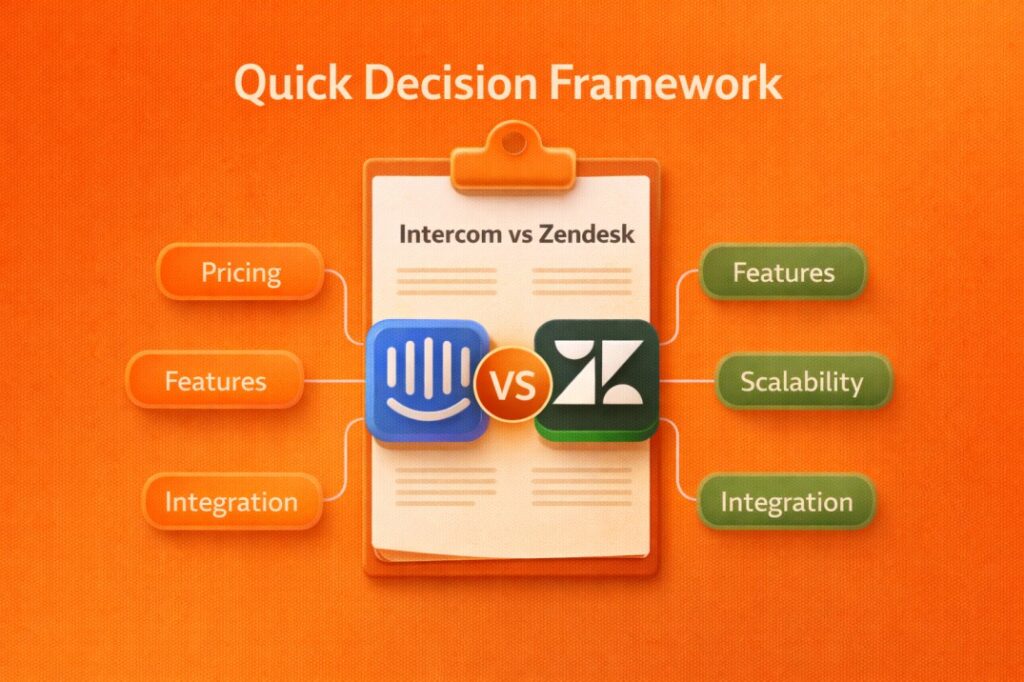
Decision Table
| Your Situation | Choose Intercom | Choose Zendesk | Consider Alternatives |
|---|---|---|---|
| 0-10 employees, pre-revenue | If you get Early Stage pricing ($65/month) | Too complex | Tidio, Crisp ($25-50/month) |
| 10-25 employees, <$100k MRR | If you want modern live chat + AI | Only if you have high ticket volume | Consider based on the budget |
| 25-50 employees, $100k-$500k MRR | If product-led, need in-app messaging | If support-first, need workflows | Unlikely to need alternatives |
| 50+ employees, $500k+ MRR | Gets very expensive | Better for enterprise scale | You probably know what you need |
Pick Intercom if:
- You want to be live today (setup can take under an hour)
- A modern live chat experience really matters
- In-app messaging (product tours, announcements, onboarding nudges) is important
- You can realistically afford $500–$1,500/month as you grow
- Support and product teams collaborate closely
This is especially true if you’re product-led, where users sign up on their own and need in-app help. AI chatbot quality and user experience matter more to you than complex ticket routing. Your team is small, and you don’t have weeks to configure a system.
Pick Zendesk if:
- You handle 500+ tickets per month
- Complex workflows and automation are critical
- You have dedicated support agents (not founders doing part-time support)
- You need enterprise features like SLAs, compliance, and advanced reporting
- Predictable, per-seat pricing matters
This fits support-first companies with structured processes. Ticketing is more important than live chat aesthetics. You’re willing to invest 1–2 weeks in proper setup and possibly need enterprise compliance (HIPAA, SOC2, etc.).
III. WHAT SAAS STARTUPS ACTUALLY NEED
Before comparing features, let’s talk about what SaaS startups ACTUALLY need. This is not what an enterprise teams need not what a support first companies nee,d but this is what a company or startup with a small time and spending a massive amount on customer support wants to reduce that cost and make that process simpler.
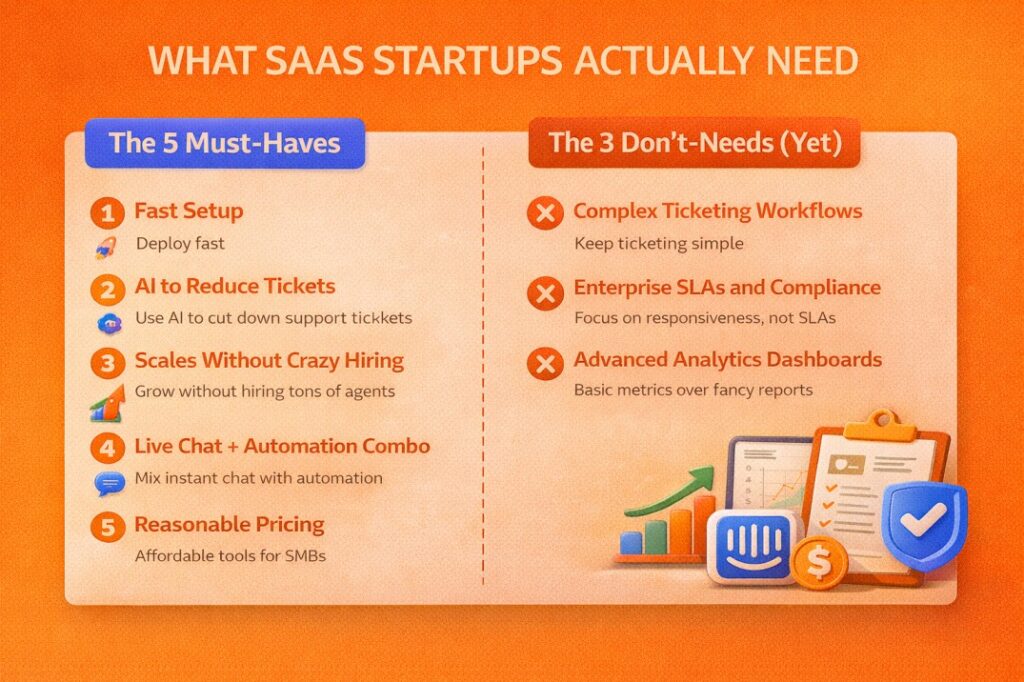
The 5 Must-Haves
1. Fast Setup
You don’t have weeks to configure software; you need to set up some basic information and make it to deployment ready to the users, because sometimes a complex setup leads to never actually getting implemented, like if something takes more than a day to go live, you wwon’tuse it properly or sometimes skip it.
2. AI to Reduce Tickets
You can’t hire support agents to give answers for the very gimmick questions like “How to reset your password,” instead, you always like to hire people to solve the real problem of the user. So by using an AI chatbot, this type of tickets get reduced because AI will auto solve that tickets on its own.
3. Scales Without Crazy Hiring
Now thing for the second, after 1 year,r you have gotten 1000+ customer support tickets,s and most of them are asking for that useless question. Then,t if that can be solved by AI, it will save the cost of hiring a real person to solve those tickets.
4. Live Chat + Automation Combo
Modern users expect instant response,s but it is not possible for you and your team to be online 24 by 7 hours. This is where you need some automation that will collect information from the user so you can contact them later to convert that into a lead.
5. Reasonable Pricing
You can’t spend $2,000/month when you’re making $5,000/month off course, you need someof this economy as well, that doesn’t feel hheavy onyour company accounts.
The 3 Don’t-Needs (Yet)
For each, write 25-30 words:
1. Complex Ticketing Workflows
Enterprise ticket routing is overkill for 200 tickets/month; that’s why you don’t need 15 custom fields for the ticketing. Simple inbox works fine at this stage
2. Enterprise SLAs and Compliance
Unless you’re selling to healthcare/finance, you don’t need HIPAA on day one. Thee SLA management is for later; er for,n ow you just need to focus on being responsive, not tracking SLAs.
3. Advanced Analytics Dashboards
You don’t need 50 reports when you have 3 support people. I think in the starting stage,tage the response time and resolution time are enough to lookat as metrics; later on,n deep analytics are for optimizing at scale.
IV. INTERCOM DEEP DIVE
A. What is intercom?
Intercom is a customer messaging platform built specifically for modern SaaS companies that want to talk to their customers like actual human beings instead of shuffling tickets around.
Started back in 2011, Intercom now works with over 25,000 businesses. Their whole thing is about being proactive with customers. You know how most support tools wait for people to complain? Intercom flips that around. You reach out first, you have real conversations, you fix problems before they become problems.
What makes Intercom stand out is that messenger widget you’ve probably seen on websites (the little chat bubble in the corner), their AI chatbot Fin that actually works, and the ability to send messages right inside your product. They focus on product-led companies where your support team and product team need to work together. Big names like Atlassian, Shopify, and Sotheby’s use it because they get that talking to customers helps sell the product.
Here’s what you need to know:
- This isn’t your typical help desk with ticket numbers and queues
- It’s part support tool, part growth tool
- Works best when customer conversations directly help people use and love your product
B. Key Features That Matter for SaaS Startups
Live Chat & Messenger Widget
The messenger widget is basically like texting, except it’s on your website or in your app. No formal “please describe your issue” forms. Just natural back-and-forth conversations. The widget looks clean and modern (think Stripe or Notion level polish), and it keeps track of who the person is, what they’ve done in your product, and what you talked about before.
Your support team can answer from their phones while grabbing coffee. The whole experience feels premium, which matters when you’re trying to look legit as a startup. When someone clicks that chat bubble, they’re not submitting a ticket. They’re starting a conversation.
Fin AI Agent
Fin is their AI chatbot, and honestly, it’s one of the few AI support bots that doesn’t make people want to throw their laptop out the window. You point it at your help docs and knowledge base, and it learns how to answer questions.
Intercom says it handles 50-65% of questions on its own. Real companies report closer to 60-86%, depending on how good your docs are. It costs 99 cents every time it successfully solves someone’s problem. No human needed.
You can set this up in like half an hour, and right away it starts handling the boring stuff. Password resets, billing questions, “where do I find this feature” type questions. Your team can focus on the interesting problems while Fin takes care of the repetitive ones.
In-App Messaging
This is where Intercom gets interesting for product-focused companies. You can send messages that pop up inside your actual product, not just on your website.
Someone signs up but doesn’t finish their profile? Send them a gentle nudge right in the app. Launching a new feature? Announce it to the exact users who’ll care about it. Want to walk new users through setup? Build a little product tour that appears at the right moment.
It’s basically like being able to tap someone on the shoulder and say, noticed you’re stuck here, let me help.” Super useful for getting people to actually use your product instead of signing up and disappearing.
Shared Inbox
All your conversations land in one place. Chat messages, emails, everything. Your whole team can see what’s going on, jump in to help, and leave notes for each other.
It’s got basic ticketing stuff like assigning conversations and tracking status. Not as heavy-duty as Zendesk’s million features, but for a startup? It’s plenty. You can collaborate without stepping on each other’s toes, and nothing falls through the cracks.
C. Pricing Reality, No Sugarcoating
Most articles about Intercom tell you it starts at $29 per person. Technically true. Also, basically meaningless because that price gets you almost nothing useful. Let me break down what you’ll actually pay.
Base Plans
Here are the official tier prices:
- Essential: $29/seat/month (if you pay yearly) or $39/seat/month (monthly)
- Advanced: $85/seat/month (yearly) or $99/seat/month (monthly)
- Expert: $132/seat/month (yearly) or $139/seat/month (monthly)
What That Base Price Actually Gets You
Not much, honestly. The base plan is like buying a phone without a data plan. Sure, you own a phone, but good luck doing anything with it.
Fin AI? Extra. Costs 99 cents per resolution.An AI Copilot that helps your team write better responses? Extra $35 per persona al mese. Want to send those in-app messages and product tours? Extra $99 per month plus usage fees. WhatsApp and SMS? More money.
Picture walking into a car dealership. They advertise a car for $20,000. Then you realize that the rice doesn’t include seats, AC, or wheels. That’s Intercom pricing.
What You’ll Actually Spend (Real Numbers)
Scenario 1: Tiny Startup (2 people answering messages, about 200 conversations monthly)
- Essential plan: 2 people × $29 = $58
- Fin AI handling maybe 100 conversations: $99
- Your actual bill: around $157/month
Honestly? Not bad. You get professional chat, some automation, and AI handling half your support for under $200. I’d take that deal.
Scenario 2: Small SaaS Company (3 support people, 500 conversations monthly)
- Advanced plan because you need workflows: 3 × $85 = $255
- Fin AI handling 250 conversations: $248
- AI Copilot for your team: 3 × $35 = $105
- Your actual bill: around $608/month
Getting pricey. But think about it this way. If Intercom prevents you from hiring another support person at $50k+ per year, you’re still way ahead. Plus, your customers get better, faster help.
Scenario 3: Growing SaaS (5 support people, 1,000 conversations monthly)
- Advanced plan: 5 × $85 = $425
- Fin AI handling 500 conversations: $495
- AI Copilot: 5 × $35 = $175
- Proactive messaging features: $99
- Your actual bill: around $1,194/month
Ouch. Now we’re talking serious money. You’re almost at enterprise Zendesk prices, but without some of the advanced features bigger companies need. This is where a lot of companies start questioning if Intercom still makes sense.
The Startup Program (If You Qualify, Jump On This)
Intercom has an Early Stage Program that’s kind of insane if you can get in. Year one: 90% off. Year two: 50% off. Year three: 25% off.
During that first year, you’d pay roughly $65/month for 6 seats. That’s cheaper than lunch. Catch is, you need to qualify. They want venture-backed startups under $1M in revenue, fewer than 10 employees, a nd less than two years old.
If you tick those boxes, stop reading this and go apply right now. Build your entire support system on a 90% discount, then figure out later if you want to keep it when the discount drops. No question about it.
V. ZENDESK DEEP DIVE (600-700 words)
A. What Is Zendesk?
Zendesk is the industry standard customer service platform, built from the ground up for scale and structure.
Founded way back in 2007, Zendesk serves over 100,000 companies worldwide. We’re talking massive scale here. In 2025, about 1.7 billion people interacted with Zendesk somehow. That’s not a typo. Their whole approach centers on process-driven, ticket-based support. Every customer issue becomes a ticket, gets routed through workflows, and follows structured processes until it’s resolved.
Zendesk is known for seriously powerful ticketing systems, industrial-strength automation, and the kind of enterprise features that make IT departments happy. Companies like Uber, Airbnb, and Shopify run their entire support operations on Zendesk because it can handle whatever volume you throw at it.
Here’s the deal:
- This IS a traditional help desk, and it’s really, really good at being one
- Built for support teams running support operations, not product teams having casual chats
- Makes the most sense when you have dedicated people doing support as their full-time job
B. Key Features That Matter
Ticketing System
The ticketing system is why people choose Zendesk. Period. Every customer question becomes a ticket with a number, status, priority, assignee, and audit trail. Advanced routing sends tickets to exactly the right person automatically based on whatever rules you set up. SLA management tracks whether you’re hitting your response time goals or falling behind.
The system handles millions of tickets without breaking a sweat. If you’re dealing with 1,000+ tickets monthly, this is exactly why you’d pick Zendesk over something simpler. It’s built for volume and complexity in a way most other tools just aren’t.
Zendesk AI
Zendesk’s AI focuses on triage and routing rather than having conversations with customers. It’ll categorize incoming tickets, figure out what department they belong to, spot urgent issues, and route everything accordingly. Less impressive as a chatbot compared to Intercom’s Fin, but way more powerful for complex backend workflows.
It costs an extra $50 per person per month and needs actual setup time and tuning to work properly. You can’t just flip a switch and expect magic. But once configured? It saves tons of time on the organizational side of support, even if customers never directly interact with it.
Omnichannel Support
Everything lands in one workspace. Email, live chat, phone calls, social media messages, text messages. All of it. The smart part is that context follows the customer across every channel.
Someone emails you Monday, chats with you Wednesday, then calls Friday? Your agent sees the complete history instantly. No “can you repeat your issue” nonsense. The customer’s entire journey with your company lives in one place, regardless of how they reach out. Pretty crucial once you’re handling support at any real scale.
Guide (Knowledge Base)
Zendesk Guide builds help centers that are legitimately good. The builder creates pages that are SEO-optimized, so people actually find them on Google. Supports multiple languages out of the box. Tracks analytics on which articles get read, which ones solve problems, and which ones people bounce from immediately.
Better than Intercom’s knowledge base, honestly. More features, better search, cleaner analytics. If your goal is to deflect tickets by helping people help themselves, Guide does the job well.
Advanced Automation
This is where Zendesk gets wild. The automation capabilities go deeper than almost any other platform. Macros let agents apply common responses with one click. Time-based triggers handle follow-ups automatically. Routing rules can get incredibly complex.
You can basically automate anything. “If ticket mentions billing AND comes from enterprise customer AND is marked urgent, route to senior team AND notify the manager AND escalate if no response in 2 hours.” That level of complexity is possible, and honestly, sometimes necessary when you’re running serious support operations.
C. Pricing Reality
Zendesk pricing is way more straightforward than Intercom. You pay per seat, the costs are predictable, and you’re not guessing what your bill will be. That said, add-ons still jack up the true cost quite a bit.
Two Product Lines (Important to Understand)
Zendesk sells two main things:
Support Only: Just the ticketing system. Ranges from $19 to $115 per seat. Bare bones.
Suite: The complete package with ticketing, chat, knowledge base, phone support, everything. Costs $55 to $169 per seat. Most people need Suite because Support Only is too limited for real use.
Suite Plans Breakdown
Here are the actual tier prices:
- Suite Team: $55/seat/month (yearly billing) or $69/seat/month (monthly)
- Suite Growth: $89/seat/month (yearly) or $109/seat/month (monthly)
- Suite Professional: $115/seat/month (yearly) or $139/seat/month (monthly)
- Suite Enterprise: $169/seat/month (yearly) or custom pricing for huge companies
The Add-Ons That Increase Your Bill
Base price gets you the platform, but you’ll want these extras:
- Advanced AI: $50/seat/month (only available on Professional or Enterprise)
- AI Copilot: $35/seat/month (helps agents write better responses)
- Workforce Management: $25/seat/month (scheduling and forecasting)
- Quality Assurance: $25/seat/month (monitoring and coaching)
These add-ons aren’t optional if you want Zendesk to really work for you. They’re the difference between having the platform and actually using it effectively.
What You’ll Actually Spend (Real Numbers)
Scenario 1: Tiny Startup (2 people handling support, 200 tickets monthly)
- Suite Team: 2 × $55 = $110/month
- Your actual bill: $110/month
Cheaper than Intercom at this size, but you’re getting pretty limited features at the Team tier. Good enough to get started,d though.
Scenario 2: Small SaaS Company (3 support people, 500 tickets monthly)
- Suite Growth: 3 × $89 = $267
- Advanced AI: 3 × $50 = $150
- Your actual bill: around $417/month
This is actually cheaper than Intercom at the same scale. You’re getting more structured support tools and paying less. Makes sense if tickets are your main thing.
Scenario 3: Growing SaaS (5 support people, 1,000 tickets monthly)
- Suite Professional: 5 × $115 = $575
- Advanced AI: 5 × $50 = $250
- Quality Assurance: 5 × $125 = $125
- Your actual bill: around $950/month
Still cheaper than Intercom at this scale, and way more predictable. You know exactly what you’re paying each month. No surprise usage bills.
The Annual Discount Advantage
Pay year, y and Zendesk knocks 20% off your bill. Unlike Intercom’s usage-based pricing that can spike randomly, Zendesk gives you a number and sticks to it. Way easier to budget for when you’re planning your year.
D. Honest Pros and Cons
PROS:
Best ticketing system you can buy. Nothing else comes close for pure ticket management power. The automation capabilities are ridiculously deep. You can build workflows that handle almost anything automatically. Scales to literally millions of tickets without choking. Analytics and reporting give you every metric imaginable about your support operation.
Per-seat pricing means you actually know what you’ll pay. No surprise bills based on conversation volume or AI usage. Comes with a 99.9% uptime SLA, which matters when support is mission-critical. Enterprise-grade security and compliance checkboxes for companies that need that stuff. Over 1,000 integrations with other tools you’re probably already using.
CONS:
Steep learning curve. Takes your team weeks to really master the platform, not hours. The interface looks dated compared to Intercom’s slick design. Total overkill for small startups that just need basic chat support.
The true cost runs 2x to 3x the base price once you add the features you actually need. Setup takes real time and effort. It’s not plug-and-play. The AI is less impressive than Intercom’s Fin for actual customer conversations. Not built for in-app messaging at all.
The whole thing can feel bureaucratic and slow compared to more modern tools. You’re managing a support operation, not having conversations. That’s the tradeoff.
E. Best For
Zendesk makes the most sense for support-heavy companies dealing with serious ticket volume. Teams where people do support full-time as their actual job, not just answering occasional questions. Companies that need enterprise compliance checkboxes checked and security audits passed.
Works great when you have complex support workflows that require structure and process. When doing things the right way matters more than doing things fast. Perfect for scaling companies past 50 employees that need to professionalize their support operations and can’t just wing it anymore.
If your support team IS your competitive advantage, Zendesk gives them the tools to be world-class at it.
VI. HEAD-TO-HEAD COMPARISON
Now, let’s put these two platforms side by side and see how they actually stack up on what matters. I’ll pick a winner for each category based on real-world use, not marketing claims.
Remember something important here: the winner depends entirely on your specific needs. A tool that’s perfect for a fast-growing product company might be completely wrong for a high-volume support operation. There’s no universal best choice.
A. Setup & Ease of Use
Intercom Experience
I signed up for Intercom, grabbed the code snippet they gave me, pasted it into my website, and was live with a working chat widget in under an hour. Seriously, about 47 minutes from signup to first conversation. The dashboard makes sense immediately. Everything sits where you’d expect it to be. Adding team members, connecting your help docs, setting up basic automation? All pretty intuitive. You’re not hunting through nownus wo ndering where things are.
The whole experience feels designed for people who want to get support running today, not next week after reading documentation.
Zendesk Experience
Signup took maybe five minutes. Then I spent the next three hours trying to figure out how ticket workflows actually work. Where do tickets go when they come in? How do I set up routing? What’s a trigger versus an automation versus a macro? The settings go deep, which is powerful, but also overwhelming when you’re just trying to get basic support running.
You need to plan your setup. Think through your workflows. Configure things properly. It’s not something you casually set up during lunch.
Winner: Intercom
Not even close on this one. If you need support running today, right now, this afternoon, Intercom wins easily. You can be live and helping customers before Zendesk finishes explaining ticket fields to you.
When Zendesk wins: Only if you actually have the time to dothe setup right and genuinely need all that complexity from day one.
B. AI Capabilities
Intercom’s Fin AI
Fin trains on your help documentation and past conversations, then starts answering customer questions on its own. Intercom claims 50-65% resolution rates. Real users consistently report 60% to 86%, depending on how good their documentation is.
I set up Fin in roughly 30 minutes. Connected it to help docs, turned it on, and watched it immediately start handling password resets, billing questions, and basic feature questions. Costs 99 cents every time it successfully resolves something without human help.
The impressive part is how conversational it feels. Customers don’t feel like they’re fighting a bot. It actually understands context and handles follow-up questions naturally. When it can’t help, it hands off to a human smoothly instead of trapping people in bot hell.
Zendesk AI
Zendesk’s AI requires the Professional tier or higher and costs an extra $50 per person monthly. It’s powerful for categorizing incoming tickets, routing them to the right team, spotting patterns, and triggering workflows. Way more complex than Fin and requires real setup time to tune properly.
Where it falls short is conversational support. It’s built more for backend automation than chatting with customers. Great at “this ticket mentions billing and sounds urgent, route it to the senior team and flag the manager.” Less impressive at “help this customer figure out why their integration isn’t working” through natural conversation.
Winner: Intercom
Fin AI is simply better for conversational, customer-facing support. Works out of the box with minimal setup. Delivers more impressive results with way less effort. Customers actually like talking to it, which matters.
Zendesk AI wins for complex backend automation and workflow intelligence, but if we’re talking about AI helping customers directly, Intercom takes it easily.
C. Live Chat Experience
Intercom
The messenger widget is beautiful. Looks modern, feels fast, works like texting someone. Shows up on your website and inside your product seamlessly. Supports proactive messaging so you can reach out first. Mobile-optimized so it works perfectly on phones.
This is what users expect from software in 2026. Clean, simple, instant. No “please hold while we connect you” messages. No clunky interfaces. Just smooth, natural conversation. The kind of chat experience that makes your product feel premium.
Zendesk
The chat works. It’s functional. Does the basic job of letting customers talk to you. But it feels traditional and a bit dated. More like a corporate support chat from five years ago than something modern.
Limited capabilities for in-app messaging. Mostly focused on website chat. Gets the job done if all you need is a way for people to message you, but it’s not going to impress anyone.
Winner: Intercom
This isn’t even a contest. Intercom’s messenger is what modern SaaS products need. It looks better, feels smoother, and gives customers a much better experience. Zendesk chat feels like something from 2015 that nobody bothered updating.
If live chat quality matters to your brand and product experience, Intercom wins this category without breaking a sweat.
D. Ticketing System
Intercom
Ticketing lives in the shared inbox. Works fine for simple workflows and small teams. You can assign conversations, set priorities, track status, and collaborate with teammates. Good enough if you’re handling under 100 tickets daily and don’t need complex automation.
But the ticketing is pretty basic compared to dedicated ticketing platforms. Limited automation options. Can’t build super complex routing rules. Reporting is simple. It’s designed for conversational support first, ticketing second.
Zendesk
Best ticketing system you can buy, period. Advanced routing sends tickets exactly where they need to go automatically. SLA management tracks every ticket against response time goals. Automation handles repetitive workflows. Macros let agents respond to common issues instantly.
Scales to millions of tickets without slowing down. Supports incredibly complex workflows. Deep reporting on every aspect of ticket performance. This is what Zendesk was built to do, and it shows.
Winner: Zendesk
If you’re running serious ticket volume, Zendesk wins by a mile. The automation capabilities, routing intelligence, and reporting features are in a completely different league.
Intercom’s ticketing is “good enough” for small teams doing conversational support. Zendesk’s ticketing is “world-class” for teams running actual support operations.
E. Pricing & Value
Real Cost Comparison for 3 Agents, 500 Conversations Monthly
Intercom total:
- Advanced plan: $255
- Fin AI (250 resolutions): ~$250
- AI Copilot: $105
- Total: around $608/month
You’re paying more, but you get the best AI on the market and the most modern user interface. Your customers get a better experience, and your team gets better tools.
Zendesk total:
- Suite Growth: $267
- Advanced AI: $150
- Total: around $417/month
Cheaper and totally predictable. You know exactly what you’re paying every month. No usage spikes. The AI is less impressive, but the core platform is rock solid.
Winner: Depends On Your Situation
For basic support needs without heavy AI usage, Zendesk is cheaper. For AI-heavy usage where Fin is resolving 60%+ of conversations, Intercom might actually be worth the extra cost.
For budget predictability, Zendesk wins with fixed per-seat pricing versus Intercom’s usage-based model that can surprise you. For early-stage startups in Intercom’s program, $65/month for 6 seats is an absolutely insane value.
Here’s the real question, though: what’s the cost of NOT having good AI? If Fin saves you from hiring another support person at $50k+ annually, paying $608/month is incredibly cheap. But if you’re just doing basic ticket management, spending extra for fancy AI makes no sense.
F. Integrations
Intercom
Over 300 integrations focused on the modern SaaS stack. Connects smoothly with Slack, Stripe, Segment, Salesforce,a and all the tools product companies actually use. API is clean and well-documented. Building custom integrations isn’t painful.
Covers the tools that matter for most SaaS companies without overwhelming you with options.
Zendesk
More than 1,000 integrations with basically everything imaginable. Been around since 2007, so the ecosystem is super mature. If some obscure enterprise tool exists, Zendesk probably integrates with it.
Very extensive marketplace. Deep partnerships with major platforms. If integration breadth matters, Zendesk has it covered.
Winner: Zendesk (By Volume)
Both platforms integrate well with the common tools most companies use. Slack, Salesforce, and Google Workspace allwork onn either platform. But Zendesk has way more options if you need something unusual or enterprise-specific.
For 95% of companies, both will integrate with everything you need. Zendesk just has more options for edge cases.
G. Reporting & Analytics
Intercom
Basic reporting that covers what small teams need. Response times, resolution times, CSAT scores, conversation volume, and team performance. You can see how support is going and spot obvious problems.
Enough data to run a support team well. Not enough for deep operational analysis or building custom dashboards. Good for teams under 10 people who just need to know if things are working.
Zendesk
Advanced analytics through Zendesk Explore. Custom dashboards showing whatever metrics matter to you. Deep insights into support operations, agent performance, customer satisfaction trends, ticket resolution patterns, everything.
Can slice data din ozens of ways. Build reports for executives. Track complex KPIs. Answer detailed questions about support efficiency. Built for people who manage support as a serious business function.
Winner: Zendesk
If you need real analytics and reporting, Zendesk wins easily. The depth is just way beyond what Intercom offers.
That said, most startups don’t actually need this level of reporting until they’re handling 1,000+ tickets monthly with a dedicated support team. Before that, Intercom’s basic reporting tells you everything you need to know.
VII. REAL USER EXPERIENCES
I spent way too much time reading through over 100 user reviews on G2, Capterra, and Reddit to find the actual patterns. Not the marketing fluff, but what people dealing with these tools every single day really think. Here’s what jumped out, both the good stuff and the complaints people have when they’re being honest.
Intercom User Quotes
Positive Experiences
“Intercom has FIN AI, which helps us to resolve customer enquiries more effectively and efficiently.”
This came up constantly in reviews. People aren’t just saying Fin is cool; they’re saying it genuinely changes how their support team works. Instead of answering the same password reset question for the hundredth time, agents focus on complex problems while Fin handles repetitive stuff. The efficiency gain is real, not theoretical. Teams report getting through more conversations with fewer people, which directly impacts their ability to scale support without burning out.
“The overall experience with Intercom is positive, mostly because of the quality of their product.”
What people mean here is that Intercom just works the way you expect it to. The UI makes sense. Features are where you think they’d be. Nothing feels janky or cobbled together. It’s polished software that doesn’t frustrate your team daily. When you’re using a tool for hours every day, that product quality really matters. People genuinely enjoy using Intercom, which is rare for business software. That translates to faster onboarding, less training needed, and agents who don’t dread opening the platform.
“Excellent overall, great support and flexibility to integrate with multiple products”
The integration ecosystem works smoothly. Connecting Intercom to Slack, Stripe, your CRM, whatever you need, it just plugs in cleanly. The flexibility means you can build workflows that match how your team actually operates instead of forcing everyone to work around tool limitations.
Negative Experiences
“However, we’re not too happy with their support as it’s difficult to get good help from them.”
The irony here is thick. You’re paying for a customer support platform, and Intercom’s own support is mediocre. This complaint pops up repeatedly. Getting help when you have issues takes forever. Responses feel templated. Complex problems get bounced between different agents. Pretty frustrating when the whole product is about delivering great support, but they can’t seem to do it for their own customers.
“We just moved over from Zendes,k, and the billing is unpredictable – costs jumped 40% in mont. 2.“
This is the number one complaint about Intercom. The usage-based pricing model means your bill can spike randomly. You think you’re paying $500/month, then month two h,i ts and it’s $700 because conversation volume increased or AI resolved more tickets. Makes budgeting nearly impossible, especially for startups watching every dollar.
Zendesk User Quotes
Positive Experiences
“We have uZendeskDesk support for the last 12 years, and it has been going from strength to strength.h”
Twelve years on the same platform says everything about reliability and longevity. Zendesk scales with companies as they grow from 10 employees to 1,000. The platform handles increasing complexity without falling apart. People stick with it because it keeps working year after year. That kind of stability matters when support is mission-critical to your business, and migrating platforms is a nightmare nobody wants to deal with.
“24/7 access to our tickets and history of support issues we have solved over the years”
The data retention and historical tracking are enterprise-grade. Every ticket, every conversation, every resolution from years ago is searchable and accessible. When a customer reaches out about an issue from two years ago, agents pull up the complete history instantly. That institutional knowledge gets preserved instead of lost when agents leave or memories fade.
“Customers switching to Zendesk reported a 54% improvement in resolution times.”
Real efficiency gains, especially for high-volume support teams. The automation, routing intelligence, and workflow tools genuinely speed up how fast tickets get resolved. When you’re handling thousands of tickets monthly, cutting resolution time by half isn’t just a nice stat; it’s the difference between needing 10 agents versus 20.
Negative Experiences
“The interface – it is so outdated and dinosaur-y old looking and difficult to navigate.”
This is the most common Zendesk complaint by far. The interface genuinely looks and feels like software from 2010. Clunky, dated, not pleasant to use. When your agents spend 8 hours a day in the platform, that outdated UI becomes genuinely drainiComparede it to Intercom’s clean, modern design, Zendesk feels ancient.
“Term names could have been as simple as possible but made impossibly difficult (for example, the term macro is used for workflows AND canned replies).“
The terminology is confusing and inconsistent. Triggers versus automations versus macros versus workflows. What’s the difference? New users spend weeks just learning what things are called. The learning curve is steep,p not because the concepts are hard, but because Zendesk makes everything more complicated than it needs to be.
VIII. THE VERDICT – BY COMPANY STAGE
There’s no universal answer here. I could tell you one is better, but I’d be lying. The right choice depends completely on your stage, what you actually need, and what you can afford to spend. So let me break this down by where you actually are as a company and give you real recommendations you can act on today.
For Early-Stage SaaS (0-10 employees, under $50k MRR)
Recommendation: Intercom IF you get Early Stage pricing, otherwise start with something cheaper
If you qualify for Intercom’s Early Stage Program, am where you pay roughly $65/month for 6 seats, this is a complete no-brainer. Apply immediately. Don’t even finish reading this article, just go apply. That pricing is absurdly good for what you get.
Fast setup matters tremendously when you’re tiny. You can’t afford to spend two weeks configuring a support platform while you should be building product and talking to customers. Intercom gets you live in under an hour. Fin AI handles repetitive questions, so, you,as tua useran focus on actually building instead of answering “how do I reset my password” for the fifteenth time today.
The in-app messaging helps with user onboarding, which directly impacts whether people stick around or churn. Plus, it looks modern to your early customers, which matters more than people admit when you’re trying to look legitimate as a tiny startup.
BUT here’s the reality: If you can’t get Early Stage pricing, paying $600+ monthly is way too much when you’re pre-revenue or barely making money. That’s cash you need for other things.
Consider starting with cheaper alternatives like Tidio at $29-49/month or Crisp at $25/month. They’re not as fancy, but they work fine for basic live chat when you’re small. You can always upgrade to Intercom later once you have actual revenue and more support volume. Don’t bankrupt yourself buying enterprise tools when you have 50 users.
Bottom line: Early Stage Intercom pricing equals immediate yes. Full-price Intercom equals probably not yet. Start cheaper, upgrade when it makes financial sense.
For Growing SaaS (10-50 employees, $50k-$500k MRR)
Recommendation: It depends on your model and philosophy
This is where both tools can legitimately work, and your choice comes down to how your company operates.
Choose Intercom if you answer YES to most of these:
Is your product product-led, where users sign up and onboard themselves? Do your support and product teams work together closely instead of being separate departments? Is in-app messaging important for how you onboard and engage users? Can you comfortably afford $600-1,500 monthly without stressing about it? Do you value ease of use and modern UI over raw power features? Does your brand emphasize being modern and user-friendly?
Example use case: You’re a B2B SaaS with self-serve signup. You have 2,000 users, handling around 400 conversations monthly, with 3 support agents who also collect product feedback and help shape the roadmap. Your support team sits with your product team. Intercom fits this perfectly because support IS part of the product experience, not a separate cost center.
Choose Zendesk if you answer YES to most of these:
Are you handling over 500 tickets per month with steady growth? Do you have dedicated full-time support agents, not people doing support part-time? Do you need complex ticket routing with multiple teams and escalation paths? Is predictable monthly pricing critical for your budget planning? Are you okay investing 1-2 weeks in proper setup and configuration? Is managing high ticket volume more important than having the fanciest live chat widget?
Example use case: You’re a B2B SaaS with sales-led growth. You have 5,000 customers, handling 800 tickets monthly, with 5 full-time support agents working structured shifts with clear workflows. Support is a dedicated function, not something everyone does. Zendesk gives you the structure and power to manage this properly.
The honest truth at this stage: Both tools can work fine. Your choice depends way more on your company philosophy (product-led versus support-led, conversational versus ticketing) than on specific features. Neither choice is wrong if it matches how you operate.
For Scaling SaaS (50+ employees, $500k+ MRR)
Recommendation: Usually Zendesk, unless you’re deeply committed to Intercom
Once you’re at real scale, Zendesk typically wins for straightforward reasons.
Why Zendesk usually wins at scale:
Handles high ticket volumes way better once you’re past 1,000 tickets monthly. The advanced automation saves serious time and money at this volume. Reporting gets important when you have managers who need data, and Zendesk’s analytics are substantially better. Per-seat pricing becomes more cost-effective than usage-based pricing when volume is high and consistent.
You’ll eventually need enterprise features like advanced security, compliance certifications, and complex integrations. Zendesk has all of this ready. It scales to literally millions of tickets without breaking, which matters when you’re growing fast.
When to stick with Intercom:
You’re already deeply integrated into Intercom, and switching costs would be massive. Your support IS core to your product experience, not just a cost center you’re trying to minimize. You have the budget for $3,000-5,000+ monthl,y and it doesn’t stress your finances. Your entire team is comfortable with Interc, om and retraining everyone on Zendesk would hurt productivity.
The pattern I see constantly: Most companies that start with Intercom eventually migrate to Zendesk once they scale past a certain point. The economics just make more sense at high volume. But some product-led companies like Notion stick with Intercom forever because support and product are deeply intertwined in their model.
Bottom line: If you’re optimizing for scale and operational efficiency, Zendesk is usually the right answer. If you’re optimizing for product experience where support is a competitive advantage, maybe stay with Intercom if you can afford it.
IX. BEST ALTERNATIVES TO CONSIDER
Both Intercom and Zendesk might be complete overkill for where you are right now. Or maybe they’re just too expensive when you’re watching every dollar. Here are the best alternatives that deliver roughly 80% of the features at about 40% of the cost. The smart move is often starting with one of these and upgrading later when you have more revenue and complexity.
- Alternative #1: Tidio
What it is: Modern live chat combined with AI chatbot capabilities, built specifically for small teams that need something simple and affordable.
Pricing: Ranges from $29 to $749 mont,hly depending on features and volume. Way cheaper than Intercom while still looking professional.
Best for: E-commerce sites and small SaaS companies that need live chat and basic AI without enterprise pricing.
Pros: Beautiful, modern UI that doesn’t look cheap. Solid AI chatbot that handles common questions. Actually affordable for bootstrapped startups. Setup takes maybe an hour.
Cons: Less powerful than Intercom once you need complex workflows. Fewer integrations with other tools. AI isn’t as impressive as Fin. Limited reporting and analytics.
When to choose it: You need live chat and AI chatbot functionality,lity but can’t justify spending $600+ monthly on Intercom. You want something that looks modern to customers without breaking your budget.
Real talk: If Intercom is a Tesla, Tidio is a well-made Honda Civic. Gets you where you need to go reliably at one-third the price. You won’t impress anyone with fancy features, but you’ll have a working live chat today without financial stress.
- Alternative #2: Crisp
What it is: All-in-one customer messaging platform with live chat, email, and knowledge base capabilities.
Pricing: $25 to $95 per month per workspace. Flat pricing, not per-seat, which can save money for small teams.
Best for: Startups wanting an Intercom-like experience without Intercom costs.
Pros: The interface is genuinely beautiful and modern. Good feature set covering most basics. Affordable enough for pre-revenue startups. Includes shared inbox, campaigns, and chatbot.
Cons: Smaller company means slower feature development. Fewer integrations compared to the big players. Support quality varies.
When to choose it: You love what Intercom offers, but the pricing makes you want to cry. You’re early stage and need something nice-looking on a tight budget.
- Alternative #3: Freshdesk
What it is: A lighter, more approachable alternative to Zendesk with solid ticketing and multi-channel support.
Pricing: $15 to $79 per agent monthly. Significantly cheaper than Zendesk while covering most use cases.
Best for: Teams needing a proper ticketing structure but finding Zendesk overwhelming or too expensive.
Pros: Way easier to learn than Zendesk. Good feature set for most teams. Reasonable pricing that scales sensibly. Decent automation and reporting.
Cons: Not as powerful as Zendesk for complex workflows. Less impressive than Intercom for customer-facing chat. Feels middle-of-the-road.
When to choose it: You need structure and ticketing, but Zendesk feels too heavy and complex. You’re handling 200-500 tickets monthly and need something more organized than a shared inbox.
- Alternative #4: Help Scout
What it is: Email-first support platform focused on doing email support really, really well.
Pricing: $20 to $65 per agent monthly. Simple, predictable pricing.
Best for: Teams primarily handling customer support through email rather than live chat.
Pros: The interface is simple and clean. Does email support exceptionally well? Shared inbox that actually makes sense. Good knowledge base builder.
Cons: Live chat capabilities are pretty limited. Not built for complex workflows or high-volume operations. Lacks advanced automation.
When to choose it: Email is your main support channel, and you don’t need fancy live chat or in-app messaging. You want something straightforward that your team can master quickly.
When to Use These Alternatives
Use these cheaper alternatives when you’re bootstrapped and genuinely can’t spend $500+ monthly on support software. When you’re testing whether live chat or structured support even makes sense for your business model. When you’re very early stage with fewer than 5 employees and need something that just works.
When you want something running today instead of spending weeks configuring enterprise software. When every dollar matters more than having the fanciest features.
Remember, you can always upgrade later. A common path looks like: Start with Tidio at $29/month → Grow to $100k+ MRR → Upgrade to Intercom. Nothing is permanent. Start where you are, not where you hope to be in two years.
X. CONCLUSION
Quick Recap
Here’s everything in a nutshell. Intercom is modern, incredibly easy to set up, AI-first with impressive capabilities, but expensive once you’re paying full price. Zendesk is powerful, reliable, handles complexity well, andis actually cheaper at scale, but has a steep learning curve and a dated interface.
There’s no universal winner here. It genuinely depends on your needs, stage, and budget. Don’t feel locked into your choice either. Tons of companies switch tools as they grow and their needs change. The best tool is whatever fits your current stage right now, not what might fit in three years.
The Decision Shortcut
Let me make this dead simple:
Early-stage startup? Go with the Intercom Early Stage Program if you qualify, start with Tidio.
Growing product-led SaaS? Intercom makes sense if you can afford it, and support is core to product experience.
Support team handling high volume? Zendesk wins on power, automation, and cost at scale.
Bootstrapped and watching every dollar? Start with Tidio or Crisp until you have real revenue.
Enterprise scale with complex needs? Zendesk handles this better than anything else.
Still completely unsure? Start with the cheaper option, implement it properly, and upgrade when you clearly outgrow it. Switching isn’t fu,n but it’s not impossible.
Final Thought
Most startups overthink this decision way too much. Spending three weeks researching support tools instead of just picking one and helping customers is backwards.
The real cost of choosing wrong isn’t the money you spend. It’s the time wasted switching later and the complexity of migrating data and training your team again. But both Intercom and Zendesk are legitimately good products. Thousands of successful companies use each one.
Pick the one that makes sense for your stage and budget. Implement it properly. Then focus your energy on actually helping your customers have great experiences. That matters infinitely more than which logo is on your support tool.
You can always switch if you outgrow it. Nothing is permanent. Just make a decision and move forward.
XI. FAQ SECTION
- Q1: Can I switch from Zendesk to Intercom (or vice versa)?
Yes, you can absolutely switch, and both companies offer migration assistance to help with the process. Expect the full migration to take somewhere between and 2-4 weeks, depending on how much data you have. You can export your complete ticket history and customer data from either platform. The main challenge isn’t the technical migratio;, it’s retraining your entire team on a completely different system. Plenty of companies make this switch as they grow and their needs change. You’re definitely not locked in forever, even though switching is annoying.
- Q2: Which is cheaper long-term?
It completely depends on your usage patterns and what features you actually need. For basic needs like 3 agents with moderate conversation volume, Zendesk typically comes out cheaper. But if you’re using heavy AI, lots of proactive messaging, and advanced features on both platforms, the costs start to converge pretty closely. Intercom’s usage-based pricing makes it genuinely hard to predict your bill month to month. Zendesk’s per-seat pricing is way more predictable, which helps with annual budgeting and planning.
- Q3: Do I need both?
No, you don’t need both. Some companies try running Intercom for website and in-app chat while using Zendesk for email support and ticketing, but this setup is complex, expensive, and creates data silos that hurt your team. Just pick one platform and commit to it. If you really need multiple communication channels, both tools handle email, chat, and social media reasonably well. Don’t overcomplicate your stack unnecessarily.
- Q4: What if I’m a solopreneur?
Both Intercom and Zendesk are complete overkill for solopreneurs. You don’t need enterprise features when you’re personally handling maybe 20 conversations monthly. Start with something simple and cheap like Crisp at $25/month, Tidio, which has a free plan, or Plain at $9/month. These give you basic live chat without complexity or high costs. Upgrade to the bigger platforms only when you hire actual help and support becomes a real operation.
- Q5: How long does setup actually take?
Intercom takes 1-2 hours to be live with basic chat functionality. You can literally have it running the same afternoon you sign up. Zendesk takes a minimum of 4-8 hours, but realisticall,y you need 1-2 weeks for proper configuration of workflows, routing, automation, and all the features that make it powerful. This time difference is huge if you’re small and need something working immediately, not next month.
- Q6: Which has better AI?
Intercom’s Fin AI is more impressive out of the box for most use cases. It’s conversational, understands context naturally, and works immediately after connecting to your docs. Zendesk AI is more complex, requires the Professional tier plus an extra $50 per seat monthly, and works better for structured workflows than actual chatbot conversations with customers. For startups wanting AI that impresses customers right away, Fin wins clearly.
- Q7: Can I integrate with Slack/HubSpot/Salesforce?
Yes, both platforms integrate smoothly with all major business tools you’re probably already using. Zendesk technically has more total integrations available, over 1,000 versus Intercom’s 300+, but Intercom covers all the common SaaS tools that startups actually use. Integration quality is solid on both platforms. Honestly, this shouldn’t be your main deciding factor unless you need something really obscure or enterprise-specific.
- Q8: What about GDPR/HIPAA compliance?
Both platforms offer enterprise compliance features, but you’ll need their higher pricing tiers to access them. Professional or Enterprise plans required. If you’re selling to healthcare organizations or genuinely need HIPAA compliance, expect to pay at least $115+ per seat monthly minimum. Compliance requirements add high cost and configuration complexity to both platforms. Budget accordingly if this matters for your business.
- Q9: Can I try both before deciding?
Yes, absolutely! Both offer 14-day free trials with no credit card required upfront. I strongly recommend signing up for both platforms, testing them with your actual team for a solid week, and seeing which one feels better for YOUR specific workflow and use cases. One week of real hands-on testing with your team beats reading 10 comparison articles written by people who don’t know your business.
- Q10: What if I choose wrong?
Honestly, it’s not the end of the world. Lots of companies switch support tools as they grow and their needs evolve. Switching takes 2-4 weeks and requires some effort from your team, but both companies will help you migrate your data properly. The bigger risk is overthinking this decision for months and never actually implementing anything. Pick the one that seems right for your current stage, implement it, and start helping customers. You can always switch later if needed.